
Zapo
Your TV remote, on your phone
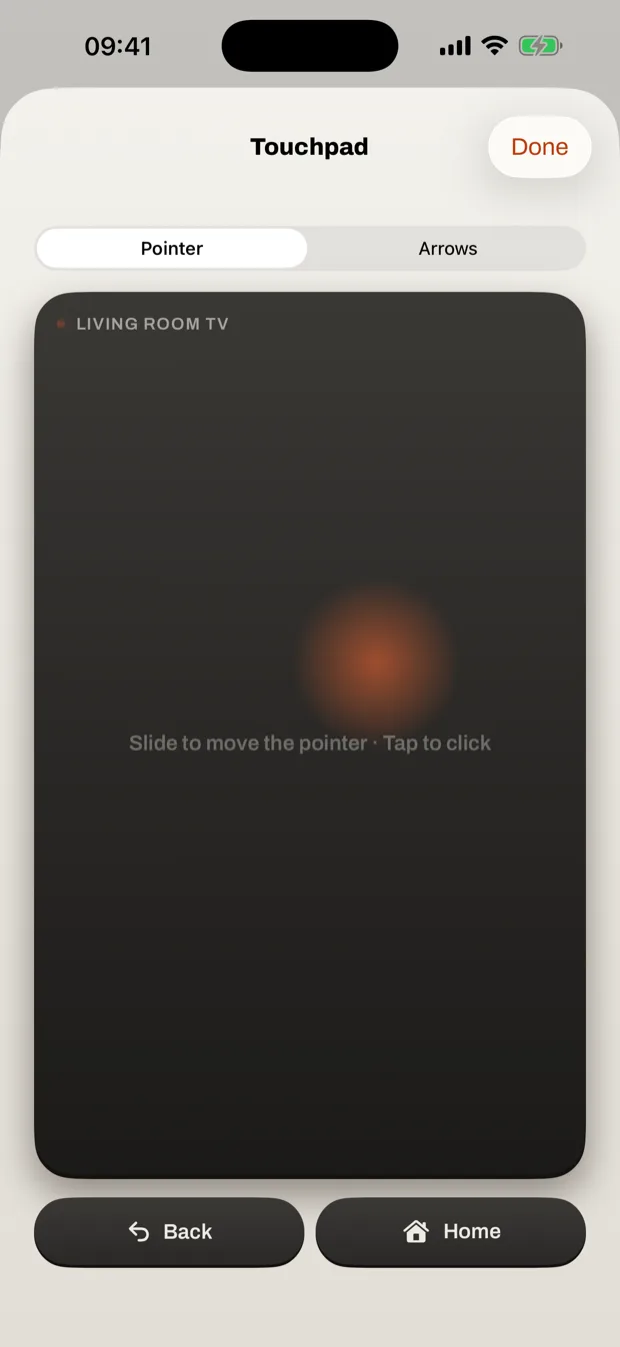
Zapo finds your TV on your Wi-Fi and turns your phone into its remote: every key, a touchpad for the TV's pointer, your phone's keyboard for searches and passwords, and your apps one tap away.
- Tried on your own TV first
- Phone keyboard on the TV
- Touchpad and app keys
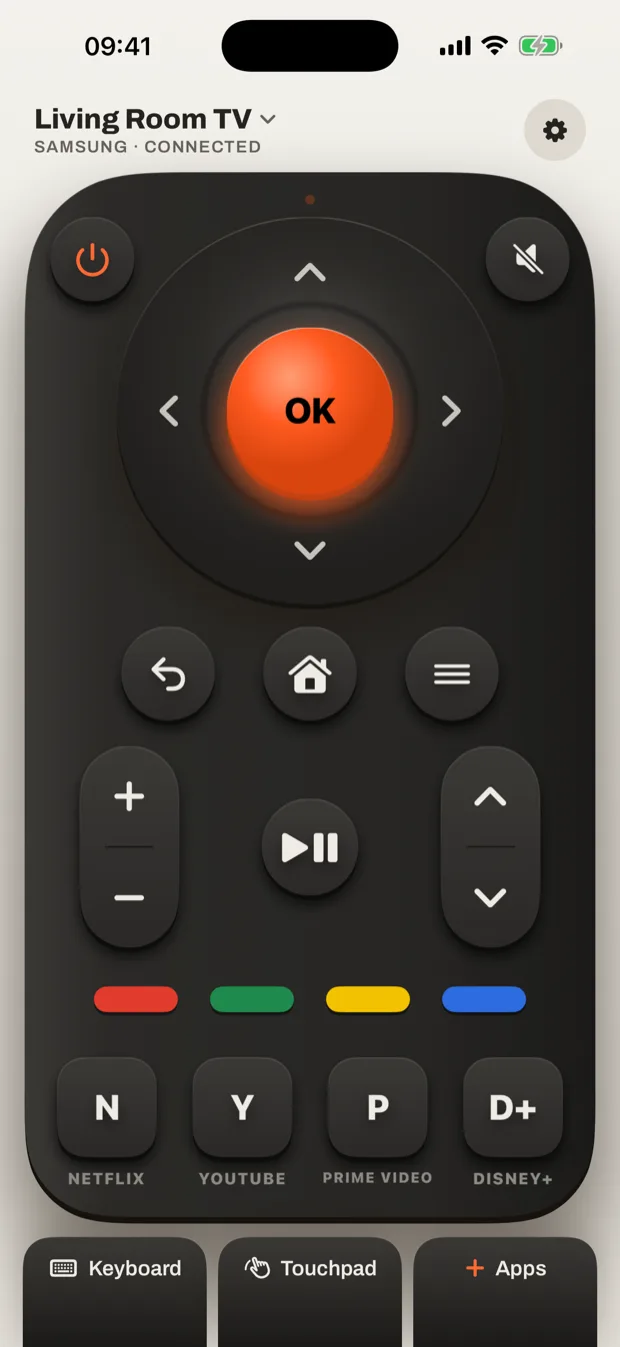
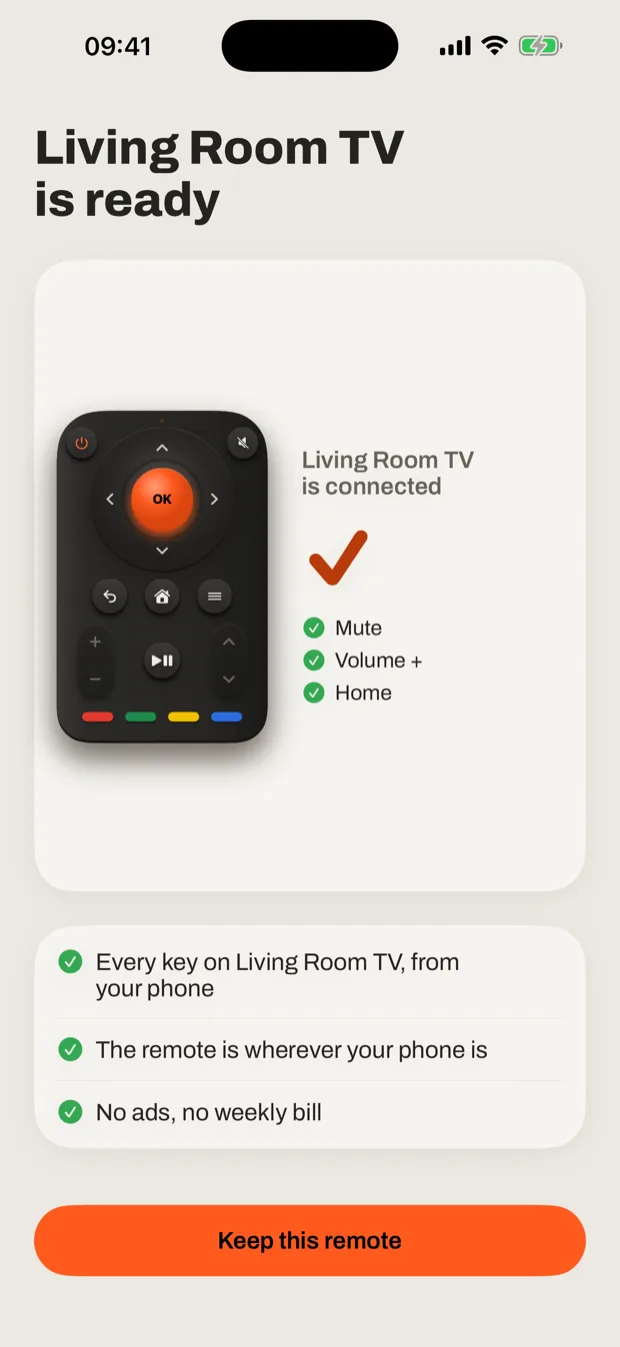
Same Wi-Fi. Your phone is the remote.
Nothing to plug in and nothing to install on the TV: your phone and your TV only need to be on the same Wi-Fi.
Three keys on your own TV
Zapo finds your TV by itself. Press Mute, Volume and Home and watch your TV answer, so you know it works on yours.
Every key, and more
The arrows, OK, volume, channels and power, a touchpad that moves the TV's pointer, and the keys for your favourite apps.
Every TV in the house
Samsung, LG, Google TV and Android TV, Roku and Toshiba sets are remembered, one tap apart.
More in the app
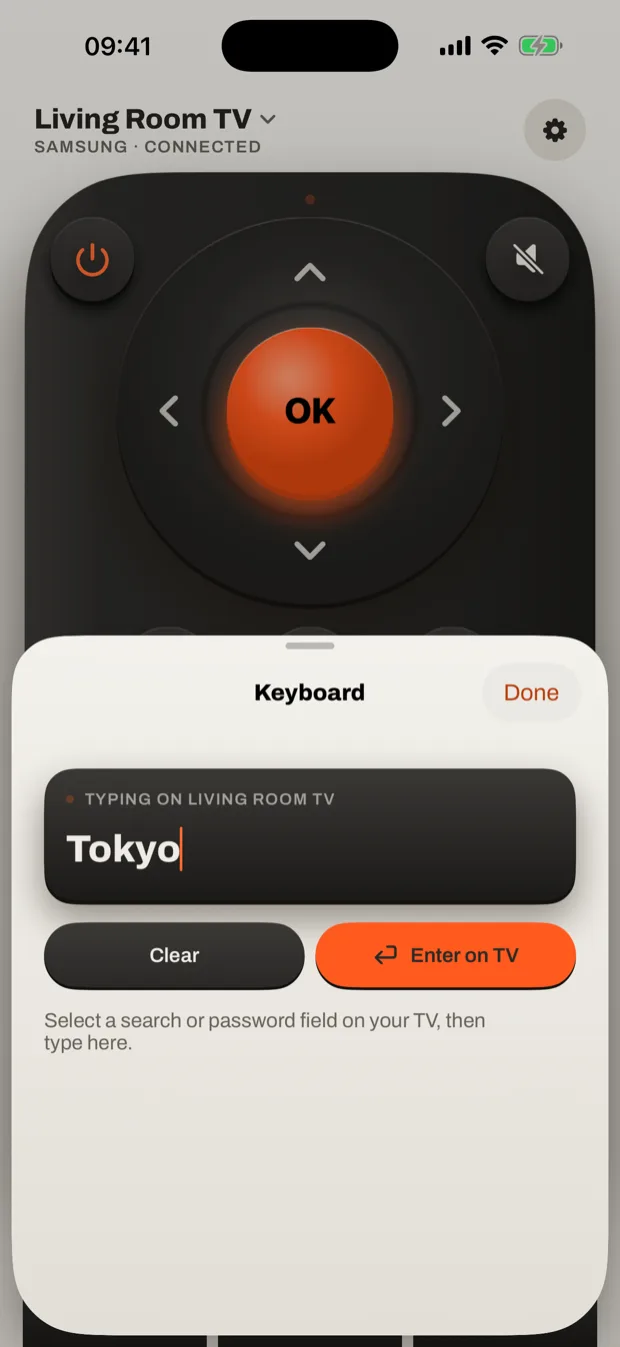
Type with your phone
Searches and passwords go to the TV from your phone's keyboard, not letter by letter with the arrows.
Your apps, one tap away
Pick the four apps your remote shows, from Netflix and YouTube to the TV's own browser.
Help that says what it saw
When a TV does not answer, Zapo says what it found on your Wi-Fi, and one tap sends it to me.


