
Sifto
Space back, good photos kept
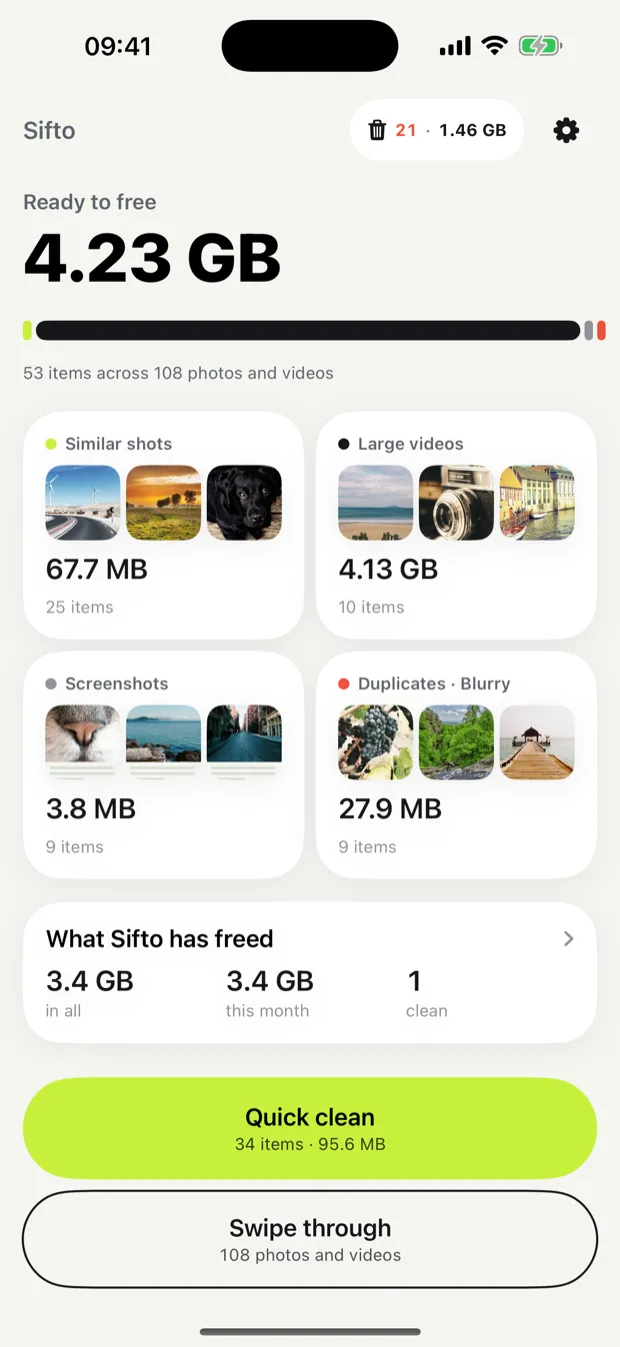
Sifto finds copies, bursts, blurry shots, old screenshots and large videos on your iPhone, and shows you every one before anything is deleted.

- See every photo first
- Best shot kept
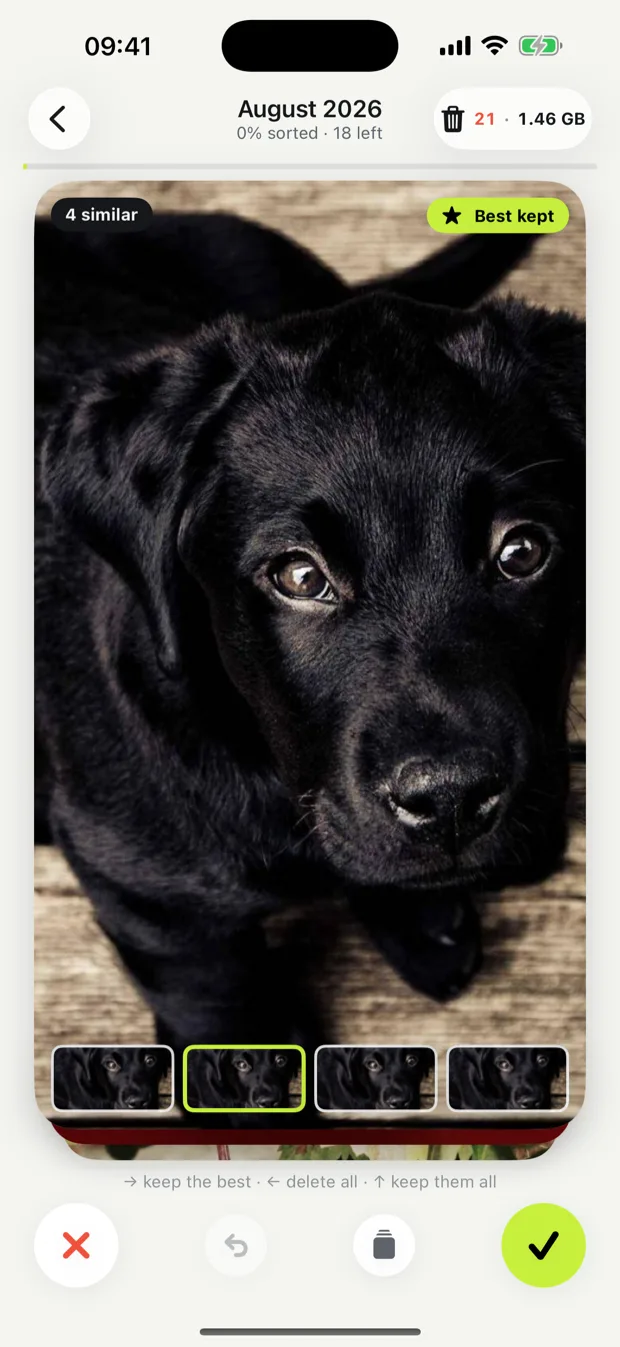
- Swipe to sort
Swipe through the clutter. Keep the good ones.
Storage full, a video that will not save: Sifto finds what can go, and nothing goes until you say so.
See what you can free
Sifto looks through your library on your iPhone and shows the space each kind of clutter takes: similar shots, large videos, screenshots, copies and blurry photos. Quick clean takes the obvious ones in one tap.
Swipe, month by month
Left to delete, right to keep. A burst arrives as one card with its sharpest, eyes-open shot already kept, and the photos you have sorted never come back.
Nothing goes until you empty the bin
Everything waits in the bin, where one tap takes a photo, a group or the whole bin back out. Emptying it is one iOS confirmation, and deleted photos stay in Recently Deleted for 30 days.
More in the app
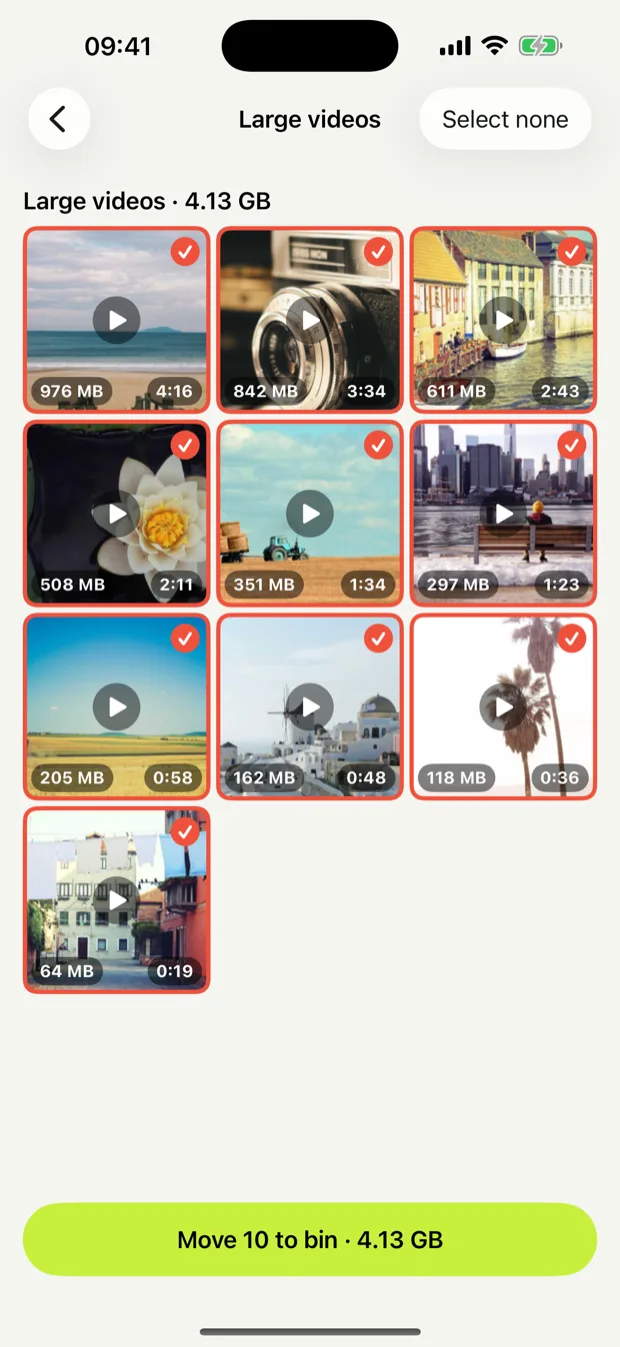
Play a video before it goes
Large videos come biggest first, with their size and length on every card. Tap one to watch it full screen; a still frame does not tell you what is in a video.
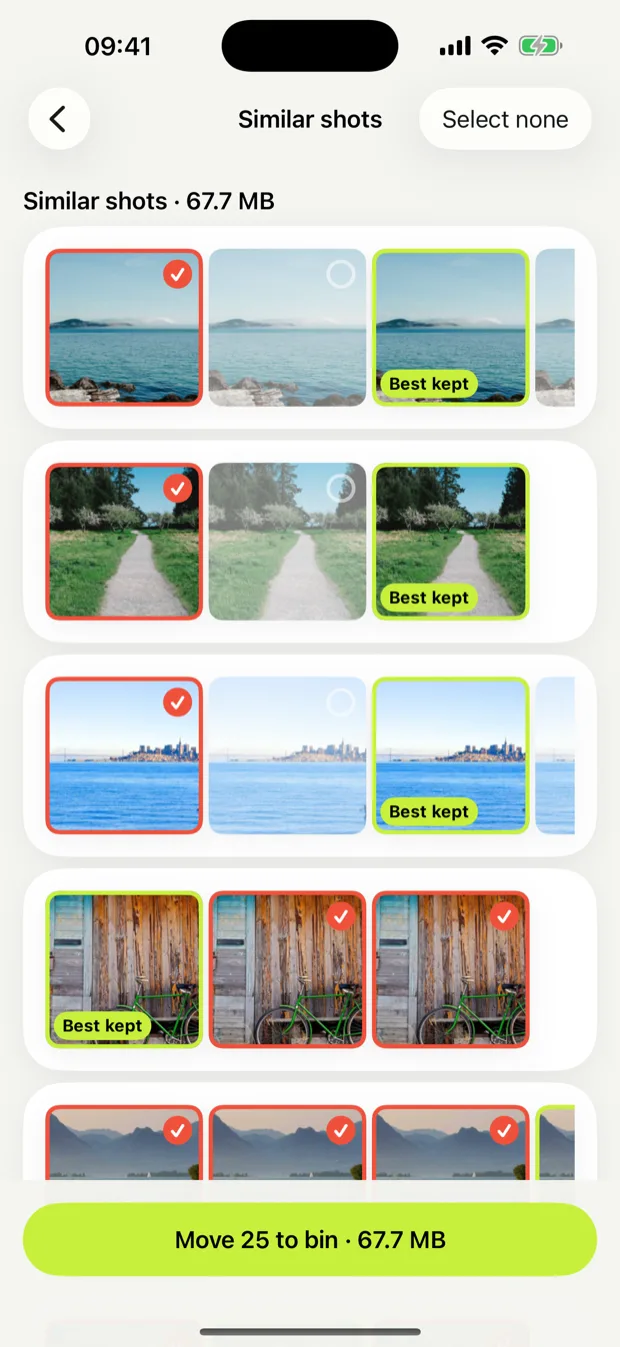
The best shot kept
In a group of similar photos, Sifto keeps the sharpest one with open eyes and suggests the rest. Tap another if you prefer it.
What Sifto has freed
Every emptied bin is kept as a record: the total, the last twelve months and each clean.
A reminder, if you want one
Once a month, when there is space to clean. Off unless you turn it on.


